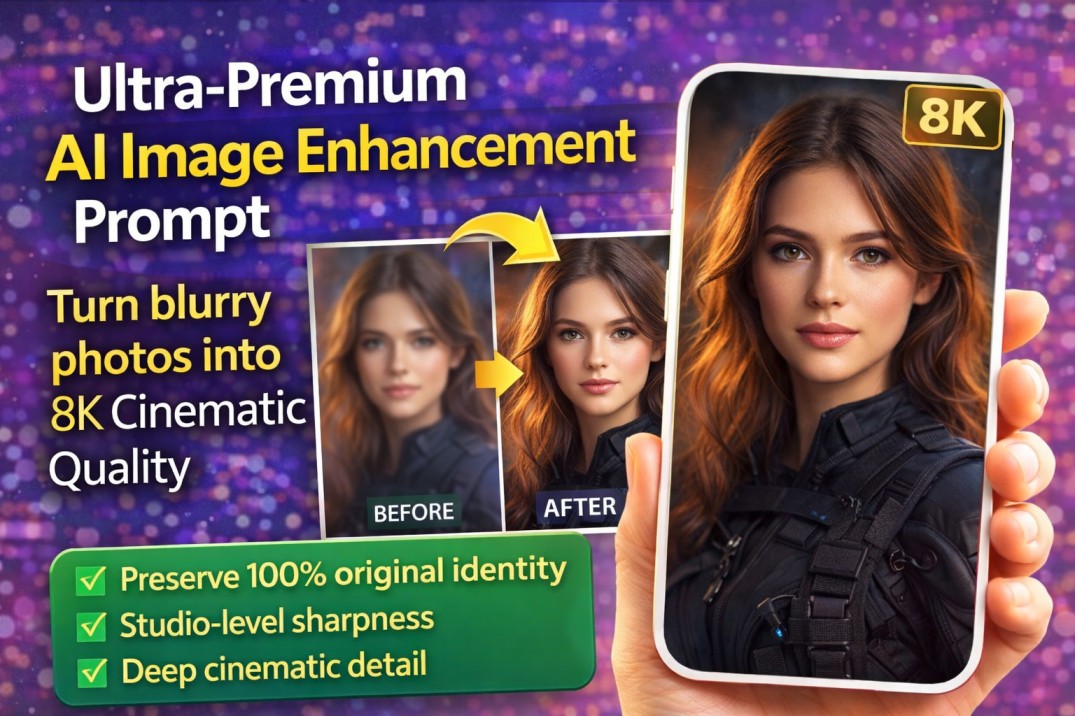
Transform blurry photos into ultra-detailed 8K cinematic quality using this professional AI image enhancement prompt. Preserve identity, enhance clarity.
Transform Blurry Photos into 8K Cinematic Masterpieces
In today’s digital world, image quality matters more than ever. Whether you’re a content creator, photographer, designer, influencer, or digital marketer, high-resolution visuals directly impact engagement, credibility, and conversion rates.
But what if you have:
Old blurry photos?
Low-resolution portraits?
Soft-focus images?
Pixelated face shots?
Compressed social media images?
Instead of reshooting or redesigning everything, you can now use an ultra-premium AI image enhancement prompt that transforms low-quality images into extreme high-detail cinematic visuals — without changing identity, structure, or composition.
This professional-grade enhancement prompt is designed for tools like:
Midjourney
Leonardo AI
DALL·E
Stable Diffusion
Sora-based image engines
Professional AI upscalers
Why This Prompt Is Different from Normal “Enhance” Prompts
Most enhancement prompts:
Change the face
Alter facial structure
Add unrealistic skin smoothing
Replace lighting artificially
Modify pose or background
This premium prompt strictly focuses on true-to-source enhancement only.
It preserves:
100% original identity
Original face structure
Natural expression
Exact pose
Clothing & accessories
Background
Framing & composition
Nothing is redesigned. Nothing is replaced. Nothing is added.
It only improves:
Detail
Clarity
Sharpness
Texture
Lighting balance
This makes it perfect for professional work.
What This AI Enhancement Prompt Does
Here’s what makes this prompt extremely powerful:
1. Recovers Micro Details
It restores:
Sharp facial features
Natural skin texture
Visible pores
Realistic hair strands
Crisp, clear eyes
Refined edges
Instead of plastic smoothing, it creates photorealistic texture restoration.
2. Adds Cinematic Depth & Lighting
The prompt enhances:
High-contrast clarity
Deep depth perception
Balanced cinematic lighting
This gives your image a dramatic but accurate look — similar to high-end camera lenses and professional studio setups.
3. 8K Resolution & ProRes Output
It instructs AI to generate:
8K resolution output
Studio-level sharpness
Poster-grade realism
ProRes quality finish
This makes the final result suitable for:
Posters
Banners
YouTube thumbnails
Professional portfolios
Print designs
Magazine covers
Brand campaigns
Who Should Use This Prompt?
This ultra-premium image enhancement prompt is perfect for:
✔ Photographers
Restore old client photos without altering identity.
✔ YouTubers
Create ultra-HD thumbnails that increase CTR.
✔ Influencers
Upgrade Instagram, TikTok, and profile pictures to cinematic quality.
✔ Graphic Designers
Improve client-submitted low-quality images for commercial projects.
✔ E-commerce Sellers
Enhance product images while keeping them accurate.
✔ AI Content Creators
Generate professional-level visuals without manual editing.
Direct Copy-Paste Prompt (Ready to Use)
Below is the exact prompt.
You can copy and paste it directly into your AI tool.
Make sure you upload your image first before using it.
Copy code
“Ultra-premium professional image enhancement. Transform the uploaded low-quality, blurry image into extreme high-detail cinematic quality. Preserve 100% original identity, face structure, expression, pose, clothing, accessories, background, framing, and composition. Do NOT alter, redesign, replace, or add anything. Recover micro-details. sharp facial features natural skin texture visible pores realistic hair strands crisp eyes clean refined edges High-contrast clarity, deep depth, and balanced cinematic lighting. Poster-grade realism with dramatic but accurate detail. Output in 8K resolution, ProRes quality, studio-level sharpness. Photorealistic textures only. True-to-source enhancement only. Keep everything exactly the same – only enhance quality.”
Pro Tips for Maximum Results
To get even better results:
Use high-quality source images (even if blurry).
Avoid extremely compressed screenshots.
Use AI tools that support:
Upscaling
Detail refinement
High-resolution rendering
If available, set output to:
4K or 8K
High detail mode
RAW rendering
Why High-Quality Images Increase Engagement
Studies show that:
High-resolution thumbnails increase click-through rate.
Clear facial detail increases trust.
Cinematic lighting increases perceived professionalism.
Sharp visuals improve conversion rates.
If you’re running:
YouTube channel
AI content page
E-commerce store
Portfolio website
Digital marketing campaigns
This type of enhancement can dramatically increase visual authority.
SEO Keywords Included in This Post
AI image enhancement
8K image upscaling
Cinematic photo enhancement
Professional image sharpening
AI photo restoration
Ultra HD image generator
High detail image prompt
AI portrait enhancement
Photorealistic texture restoration
Studio-quality image enhancement
You can use this post on:
Your website
Blog
Medium
App landing page
AI tool promotion page
Final Thoughts
This is not a normal “make it sharp” prompt.
It is a professional-grade cinematic enhancement instruction that tells AI exactly what to improve — and what NOT to change.
If you want:
True-to-source enhancement
Identity-safe upscaling
Ultra-detailed cinematic results
8K professional output
This is the prompt you need.
Read more post here
Also visit this site for more..
