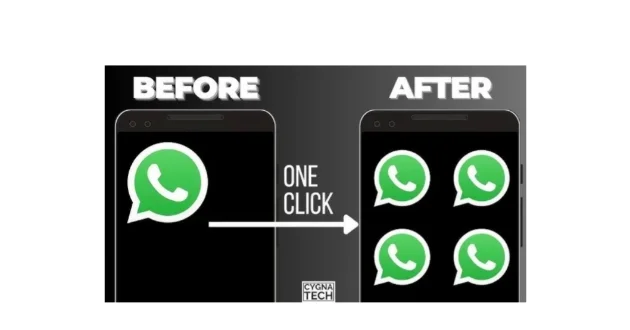
Running multiple WhatsApp accounts on one Android phone can help users separate personal, business, work, and other conversations. Multi Space style apps create separate app spaces that can support cloned versions of compatible applications. The exact number of accounts you can run depends on your phone, Android version, available storage, and the cloning app you use.
Four WhatsApp Accounts on One Phone, Best Multi Space APK Guide
Managing multiple WhatsApp accounts on a single Android phone has become useful for people who want to separate personal chats, business communication, work messages, and other contacts. Instead of carrying several phones, you can use app cloning or multi space technology to create separate environments for compatible apps.
A Multi Space app creates an independent copy of a supported application. This allows you to log in with different accounts, provided you have valid phone numbers and can complete WhatsApp verification for each account.
Multi Space apps are often used for WhatsApp, Facebook, Instagram, Messenger, Telegram, and other social applications. However, compatibility can vary depending on your Android version, phone model, and the cloning technology used by the app.
Can You Use Four WhatsApp Accounts on One Phone?
Yes, it may be possible to manage four separate WhatsApp accounts on one Android phone by combining official WhatsApp features with supported app cloning or parallel space tools.
However, you need a separate phone number for each WhatsApp account.
Each number must be able to receive the verification code required during account setup.
The exact number of WhatsApp instances that can run smoothly depends on your device.
A powerful phone with sufficient RAM and storage may handle multiple app instances better than a low end device.
It is also important to understand that WhatsApp officially supports adding multiple accounts within the official app. WhatsApp introduced multi account support to make it easier to switch between accounts without logging out. Each account still requires a separate phone number. (About Facebook)
For more than the officially supported account setup, users may explore compatible cloning solutions, although functionality and security can vary.
What Is Multi Space?
Multi Space is an Android app category designed to create separate spaces for multiple accounts.
The main app remains installed on your phone.
The cloning tool then creates additional instances inside a separate environment.
For example, you may have:
WhatsApp for personal use.
WhatsApp for business.
WhatsApp for work.
WhatsApp for another project or purpose.
Each cloned application can operate separately and maintain its own login information.
Multi Space apps available on Google Play advertise support for managing two or more accounts of compatible applications on a single device. Some versions also offer privacy features, custom app names, shortcuts, and separate spaces for cloned applications. (Google Play)
Why Use Four WhatsApp Accounts?
There are several practical reasons for managing multiple accounts.
The most common reason is separating personal and professional communication.
Your personal WhatsApp can remain dedicated to family and friends.
A second account can handle business customers.
A third account can be used for work communication.
A fourth account may be used for a separate project, online store, or team.
This separation can make communication easier to manage.
You can also create different notification settings for each account.
For example, you may silence a business account outside working hours while keeping your personal account active.
The main advantage is organization.
Instead of mixing every conversation inside one account, you can keep different areas of your life separated.
How Does a Multi Space App Work?
A Multi Space app creates a virtual or parallel environment inside your Android device.
After opening the cloning application, you select the app you want to duplicate.
The cloning tool then creates another version of that application.
You can open the cloned WhatsApp and sign in with a different phone number.
The cloned account operates separately from the original WhatsApp account.
Its chats, login information, and app data are generally kept inside the separate application environment.
Many Multi Space apps also allow users to rename cloned apps.
For example, you can create shortcuts with names such as:
WhatsApp Personal.
WhatsApp Business.
WhatsApp Work.
WhatsApp Team.
This makes it easier to identify each account.
Some Multi Space apps also offer home screen shortcuts, allowing you to open a specific cloned account without first opening the cloning application. (Google Play)
How to Set Up Multiple WhatsApp Accounts
The setup process depends on your phone and the Multi Space app you choose.
First, install the official WhatsApp application.
Set up your primary account with your first phone number.
If your WhatsApp version supports multiple accounts, you can add another account through the official account switching feature.
WhatsApp states that you need another phone number and either a separate SIM or a device capable of using multiple SIMs or eSIMs for the additional account. (About Facebook)
For additional accounts, open your selected Multi Space or app cloning tool.
Choose WhatsApp from the list of supported applications.
Create the cloned version.
Open the clone.
Enter a different phone number.
Complete the verification process.
Repeat the process if your cloning tool and device support additional instances.
Remember that every WhatsApp account requires its own valid phone number.
Multi Space Features
A good Multi Space application usually provides several useful features.
Multiple Account Support
The main feature is the ability to run multiple accounts of compatible applications.
You can create separate spaces for different accounts.
This helps users keep personal and professional activity separated.
Separate App Data
Cloned applications are generally designed to keep their data separate from the original application.
This means one account should not automatically mix chats or login information with another account.
Custom App Names
Some Multi Space apps allow you to rename cloned applications.
This can be useful when you manage several WhatsApp accounts.
Clear names reduce confusion.
Quick Account Switching
Some cloning tools allow you to switch between different app instances quickly.
You may also be able to create shortcuts directly on your home screen.
Privacy Lock
Certain Multi Space applications include privacy features such as password, pattern, or fingerprint protection.
This can provide an additional layer of protection for the cloning environment.
Notification Support
Notifications are important when you manage several accounts.
You may need to enable the correct notification permissions and adjust battery settings to receive messages reliably from cloned apps.
Some cloning apps specifically instruct users to enable notification permissions so that cloned applications can deliver notifications properly. (Google Play)
Best Multi Space Option for Multiple Accounts
Multi Space and similar parallel app tools offer different levels of compatibility.
One current option is Multi Space, which states that it supports managing two or more accounts of the same application on one device. Its Google Play listing also describes compatibility with a wide range of applications. (Google Play)
Another category includes advanced multiple account apps that advertise support for multiple instances of WhatsApp and other social applications. Features may include privacy locks, separate data environments, custom icons, and fast account switching. (Google Play)
Before installing any cloning app, check whether it supports your Android version.
Some recent Android security changes can affect app cloning functionality.
A cloning tool that works on one device may not work properly on another.
Important Requirements for Four WhatsApp Accounts
Before trying to run four WhatsApp accounts, make sure you have the necessary requirements.
You need four separate phone numbers.
Each number must be valid.
You must be able to receive the verification code when setting up the account.
You also need sufficient phone storage.
Multiple WhatsApp instances can consume storage as chats, photos, videos, documents, and backups accumulate.
RAM is also important.
Running several cloned apps in the background may increase memory usage.
A phone with limited resources may experience slower performance.
You should also maintain a stable internet connection.
Each WhatsApp account requires internet access to send and receive messages.
Does Multi Space Require Root Access?
Most modern Multi Space and app cloning tools do not require root access for normal account cloning.
Rooting your phone is generally unnecessary for basic multi account management.
You can usually install the cloning app, select a compatible application, and create a separate instance.
This makes Multi Space tools accessible to ordinary Android users.
However, compatibility can still vary.
Some apps may block or limit cloning environments because of security requirements.
The Multiple Accounts app, for example, notes that support can change for applications that declare specific secure environment requirements. (Google Play)
Benefits of Running Multiple WhatsApp Accounts
The biggest benefit is separation.
You can keep personal conversations away from business communication.
This can improve organization.
You can also use different profile names and images for different purposes.
For example, your personal account can use your regular profile.
Your business account can use your company information.
Your work account can focus on professional communication.
Another benefit is notification control.
You can customize notifications for different accounts.
This may help reduce distractions.
Multiple accounts can also be useful for people who manage different projects.
Each project can have its own dedicated communication account.
Privacy and Security
Privacy should be an important consideration when using a Multi Space application.
A cloning app may request permissions required for the cloned applications to work correctly.
These permissions can include storage, notifications, contacts, camera access, microphone access, and other permissions depending on the features you use.
Review every permission carefully.
Only allow access that is necessary.
Check the app’s privacy information before installation.
Avoid downloading modified versions from unknown websites.
The safest approach is to use a reputable source and keep your applications updated.
WhatsApp itself advises users to use the official WhatsApp application rather than imitations or fake versions because account privacy and security depend on using trusted software. (About Facebook)
Does Running Four WhatsApp Accounts Affect Battery Life?
Yes, it can increase battery consumption.
Each active WhatsApp instance may use resources in the background.
The more accounts you run, the more notifications, background activity, and network connections your phone may need to manage.
Battery usage depends on:
Your phone model.
Available RAM.
Android version.
The cloning application.
Number of active accounts.
Amount of media stored.
Background activity.
You can reduce unnecessary battery use by disabling features you do not need.
However, aggressive battery optimization may also stop cloned apps from running properly in the background.
If notifications stop arriving, check your battery settings and notification permissions.
Common Problems When Using Multi Space
WhatsApp Clone Does Not Open
Check whether your Android version supports the cloning application.
Update both WhatsApp and the Multi Space app.
Restart your device.
Remove the clone and create it again if necessary.
Verification Code Does Not Arrive
Confirm that the phone number is correct.
Make sure the number can receive SMS messages or calls.
Check your network connection.
Do not repeatedly request verification codes too quickly.
Notifications Are Not Working
Open Android settings.
Check notification permissions.
Make sure the Multi Space app is not restricted by battery optimization.
Some cloning tools also require notification access for reliable alerts.
Phone Becomes Slow
Running four WhatsApp accounts can use significant resources.
Close unnecessary background apps.
Clear unnecessary media and files.
Avoid running multiple heavy applications at the same time.
A device with more RAM and storage will generally provide a smoother experience.
How to Organize Four WhatsApp Accounts
The easiest way to manage multiple accounts is to give each one a clear purpose.
Account One can be your personal WhatsApp.
Account Two can be your business account.
Account Three can handle work communication.
Account Four can be dedicated to a project, team, store, or other purpose.
Rename the cloned shortcuts if your Multi Space app supports custom labels.
For example:
WhatsApp Personal.
WhatsApp Business.
WhatsApp Work.
WhatsApp Project.
This simple organization can prevent you from sending a message from the wrong account.
You can also use different profile pictures to identify each account quickly.
Tips for Better Performance
Keep only the necessary applications running.
Update WhatsApp regularly.
Update your cloning application when new versions become available.
Maintain enough free storage.
Enable notifications for important accounts.
Avoid installing too many cloning apps at the same time.
Using several different app cloners can create unnecessary confusion and increase resource usage.
Choose one compatible solution and test it carefully.
Also back up important chats when possible.
Do not depend entirely on a cloning environment as your only location for important data.
Is Multi Space Safe?
The safety of a Multi Space app depends on the specific application, its developer, permissions, privacy practices, and the source from which you install it.
You should never assume that every app cloning tool provides the same level of privacy.
Before installation, check:
The developer information.
User reviews.
Permission requirements.
Data safety information.
Android compatibility.
Recent updates.
Only install apps from sources you trust.
Be especially careful when an application requests access to sensitive information.
Multi Space for Personal and Business Use
A Multi Space app can be useful for business users who need to manage separate communication channels.
A small business owner may use one WhatsApp account for customers.
Another account may handle suppliers.
A third account may be used by a specific team.
The personal account can remain separate.
This structure can make communication easier to manage.
However, the more accounts you operate, the more important organization becomes.
Use clear labels.
Keep important conversations backed up.
Avoid sharing verification codes.
Enable available security features for every account.
Frequently Asked Questions
Can I Use Four WhatsApp Accounts on One Android Phone?
It may be possible by combining official multi account support with compatible app cloning tools. The exact result depends on your device and the cloning application’s compatibility. Each account requires a separate valid phone number. (About Facebook)
Do I Need Four SIM Cards?
Not necessarily.
You need access to four valid phone numbers for account verification. Depending on your setup, these numbers may use physical SIMs, eSIMs, or other supported methods for receiving verification.
Is Root Required?
Most Multi Space and cloning tools do not require root access for standard account cloning.
Will All Four Accounts Receive Notifications?
They may, but notification performance depends on Android settings, battery restrictions, permissions, and the compatibility of the cloning application.
Can I Use WhatsApp Business With Multi Space?
Compatibility depends on the cloning app and your device. You should test the specific setup and keep official applications updated.
Can I Use the Same Phone Number for Four Accounts?
No. Each WhatsApp account requires a separate phone number for registration and verification.
Will Multi Space Slow Down My Phone?
It can increase RAM, storage, battery, and background resource usage, especially when several accounts remain active.
Which Is Better, Official Multiple Accounts or App Cloning?
Official WhatsApp account switching is generally the simpler choice when two accounts are enough. A compatible cloning solution may be considered when you need additional separate app instances and your device supports them. (About Facebook)
Final Thoughts
Running four WhatsApp accounts on one Android phone can help you separate personal, business, work, and project communication.
The best setup depends on your phone and your needs.
Start with WhatsApp’s official multi account feature where it meets your requirements.
If you need additional accounts, a compatible Multi Space or app cloning tool may provide separate environments for supported app instances.
Remember to use a separate valid phone number for every WhatsApp account.
Keep your phone updated.
Review permissions carefully.
Check notification and battery settings.
Keep important chats backed up.
For a current example of a Multi Space app that supports managing multiple accounts on one device, see Multi Space on Google Play.
You can also explore more Android app guides and related content on APKFac.