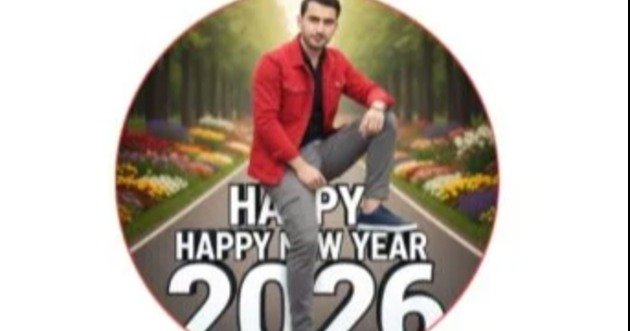
What Is the 2026 Picture Make Method
- The 2026 picture-making method refers to the growing use of detailed AI prompts to create realistic, creative, professional, and social media-ready images.
- Instead of manually editing every part of an image, you provide instructions to an AI image generator.
- For example, you can write:
- “Create a cinematic portrait of a young man standing beside a luxury car at sunset, realistic lighting, detailed face, modern clothing, dramatic background, professional photography.”
- The AI interprets the description and generates an image based on the instructions.
- The quality of the final result depends heavily on the prompt.
- A short prompt can create a basic image.
- A detailed prompt can provide more control over the subject, environment, lighting, composition, colors, camera style, and overall appearance.
Why AI Picture Creation Is Popular in 2026
AI image creation has become popular because it makes visual content easier to produce.
You do not necessarily need Photoshop skills.
You do not need an expensive camera.
You can experiment with different concepts quickly.
AI tools can also help content creators create thumbnails, social media posts, profile images, posters, promotional graphics, educational visuals, and creative artwork.
For bloggers and social media creators, this can reduce the time required to produce visual content.
What Is Google Gemini
Google Gemini is Google’s AI platform that can understand natural language and assist users with different creative and productivity tasks. Google provides Gemini through its web and app experiences. (Gemini)
For image creation, users can provide a description of the picture they want.
The more clearly you describe the desired result, the easier it is for the AI to understand your intention.
You can describe:
- The person.
- The clothing.
- The location.
- The background.
- The lighting.
- The camera angle.
- The mood.
- The image style.
- The colors.
- The composition.
- The level of realism.
- You can also provide additional instructions after the first result to refine the image.
How AI Image Prompts Work
A prompt is the instruction you provide to an AI system.
Think of it as a detailed description of your desired image.
For example, instead of writing:
“Create a car picture.”
You can write:
“Create a realistic automotive photography scene showing a black sports sedan parked on a modern city street at night, wet road reflections, cinematic lighting, detailed headlights, realistic shadows, professional photography, sharp focus, high detail.”
The second prompt gives the AI much more information.
This can help produce a more specific result.
Basic Structure of a Good Image Prompt
A useful image prompt can follow a simple structure.
Subject + action + location + appearance + lighting + camera style + mood + quality.
For example:
“Create a young Pakistani man standing beside a modern SUV on a mountain road, wearing a black jacket and jeans, sunset lighting, realistic photography, cinematic composition, natural skin texture, sharp details, blurred mountain background.”
This structure gives the AI several important visual instructions.
Step 1, Open Google Gemini
- Start by opening the Google Gemini website or the official Gemini application.
- Sign in with your Google account if required.
- The available features can vary depending on your account, region, product version, and current Google offerings.
- Google’s Gemini platform provides access to its AI experience through the web.
Step 2, Start a New Conversation
- Open a new Gemini conversation.
- You will see the prompt area where you can enter your instructions.
- This is where you describe the image you want to create.
- You do not need to use complicated technical language.
- Natural language can work well.
- For example:
- “Create a realistic photo of a young man sitting in a luxury car during sunset.”
- You can then add more details to improve the result.
Step 3, Write a Detailed Prompt
- The prompt is the most important part of the process.
- Describe exactly what you want.
- For a portrait, mention the person’s appearance, clothing, pose, background, lighting, and camera style.
- For a product image, describe the product, surface, background, lighting, and composition.
- For a travel image, describe the location, weather, time of day, viewpoint, and atmosphere.
- For an advertisement, describe the product placement and visual style.
Step 4, Add Photography Details
- Photography terms can help you describe the visual appearance.
- You can mention:
- Portrait photography.
- Cinematic photography.
- Studio photography.
- Street photography.
- Professional DSLR style.
- Wide-angle composition.
- Close-up portrait.
- Full-body shot.
- Shallow depth of field.
- Soft natural lighting.
- Golden hour lighting.
- Dramatic lighting.
- These instructions can help communicate the desired visual style.
Step 5, Describe the Background
- The background can significantly change the appearance of an image.
- Instead of simply saying “beautiful background,” describe it.
- For example:
- “Place the subject in a modern city at night, with illuminated buildings, subtle traffic lights, wet streets, and soft reflections.”
- Another example is:
- “Place the subject in a peaceful mountain valley with green hills, cloudy skies, and natural afternoon light.”
- Specific descriptions give the AI clearer instructions.
Step 6, Describe Clothing
- If you want a specific appearance, mention clothing details.
- For example:
- “Wear a dark blue traditional shalwar kameez with clean white sneakers.”
- Or:
- “Wear a modern black suit, white shirt, black leather shoes, and a simple wristwatch.”
- You can also specify colors, materials, patterns, and accessories.
Step 7, Describe Lighting
- Lighting can dramatically affect an AI-generated image.
- You can request:
- Morning sunlight.
- Golden hour.
- Sunset lighting.
- Studio lighting.
- Soft window light.
- Neon lighting.
- Night photography.
- Dramatic shadows.
- Warm cinematic lighting.
- For realistic portraits, soft natural lighting can produce a more natural appearance.
Step 8, Describe the Camera Angle
- Camera angle affects composition.
- You can request a front-facing portrait.
- You can request a side profile.
- You can request a low-angle shot.
- You can request an overhead view.
- You can request a close-up.
- You can request a full-body composition.
- For cars, a low-angle three-quarter view can create a strong automotive photography appearance.
- For portraits, an eye-level camera angle can provide a natural result.
Step 9, Add Realism Instructions
- If you want a realistic image, clearly mention realism.
- You can use phrases such as:
- Photorealistic.
- Natural skin texture.
- Realistic lighting.
- Detailed facial features.
- Natural shadows.
- Realistic reflections.
- Professional photography.
- Authentic proportions.
- Natural depth of field.
- Avoid excessive beauty filters.
- These instructions can help you request a more realistic appearance.
Step 10, Generate the Image
- After writing your prompt, submit it to Gemini.
- The system will process the instruction and provide the available result.
- If the result is close to your goal but needs improvements, do not necessarily start over.
- Instead, give a follow-up instruction.
- For example:
- “Make the lighting warmer and keep the person’s appearance consistent.”
- Or:
- “Change the background to a modern city while keeping the same pose and clothing.”
- This iterative approach can help you refine the result.
Best 2026 Gemini Prompt Formula
A useful formula is:
“Create a [type of image] showing [main subject] [action or pose] in [location]. The subject is wearing [clothing]. Use [lighting]. The background should contain [background details]. Use [camera angle] and [photography style]. Make the image [realistic/cinematic/artistic]. Include [specific details]. Maintain natural proportions and realistic textures.”
This formula works for many different image categories.
Realistic Portrait Prompt
Here is an example:
“Create a highly realistic portrait of a young man standing outdoors during sunset. He is wearing a black traditional outfit with clean shoes and a simple wristwatch. Use warm golden-hour lighting, natural skin texture, realistic facial details, soft background blur, professional portrait photography, natural proportions, sharp focus on the face, and a cinematic composition.”
This prompt gives Gemini information about the subject, clothing, environment, lighting, and photography style.
Luxury Car Prompt
For an automotive image, try:
“Create a photorealistic image of a luxury black sedan parked on a modern city street at night. The road is slightly wet and reflects city lights. Use dramatic cinematic lighting, realistic headlights, detailed body reflections, low-angle automotive photography, shallow depth of field, sharp vehicle details, and a premium professional advertising style.”
Travel Image Prompt
For travel content:
“Create a realistic travel photograph showing a beautiful mountain destination during sunrise. Include green mountains, a winding road, soft morning fog, warm sunlight, realistic environmental details, natural colors, professional travel photography, wide-angle composition, and high visual detail.”
Social Media Profile Picture Prompt
For a profile picture:
“Create a professional realistic portrait suitable for a social media profile. Show a confident young man wearing a clean dark shirt, standing against a modern blurred background. Use soft studio lighting, natural skin texture, realistic facial details, sharp focus, balanced composition, and professional portrait photography.”
YouTube Thumbnail Prompt
For a YouTube thumbnail:
“Create a high-impact YouTube thumbnail about AI image generation. Show a smartphone displaying an AI-generated image, futuristic digital elements in the background, strong visual contrast, expressive composition, modern technology theme, clean space for headline text, and a professional content creator style.”
If you need text inside an image, specify exactly what text should appear. However, AI-generated text can sometimes contain spelling or layout errors, so check the final image carefully.
Instagram Photo Prompt
For Instagram content:
“Create a stylish photorealistic Instagram photograph of a young man standing beside a modern car in a luxury urban environment. Use sunset lighting, cinematic colors, realistic shadows, detailed clothing, natural facial features, shallow depth of field, professional photography, and a premium lifestyle aesthetic.”
Product Photography Prompt
AI can also help create product-style visuals.
For example:
“Create a professional product photograph of a modern black smartphone placed on a clean white desk. Use soft studio lighting, realistic reflections, subtle shadows, premium advertising photography, sharp product details, minimal background, and balanced composition.”
This type of prompt is useful for visual concepts, mockups, and promotional ideas.
How to Improve Weak AI Images
- Sometimes the first generated image may not match your expectations.
- Do not immediately abandon the prompt.
- Identify the problem.
- If the face looks unnatural, request more realistic facial features.
- If the background is too busy, request a cleaner background.
- If the lighting looks artificial, request natural lighting.
- If the clothing is incorrect, describe it again.
- If the composition is wrong, specify the camera angle.
- For example:
- “Keep the same subject and clothing, but make the face more natural, reduce artificial skin smoothing, improve realistic lighting, and create a cleaner background.”
How to Maintain Better Character Consistency
- Character consistency can be difficult with AI image generation.
- If you are creating multiple pictures of the same person, repeat important visual details.
- Mention the same hairstyle.
- Mention the same clothing when appropriate.
- Describe facial characteristics consistently.
- Keep the age description consistent.
- Keep the body proportions consistent.
- Keep the photography style consistent.
- If the platform supports image references, use an appropriate reference image and follow the available image-editing or reference features.
How to Create Viral Style AI Pictures
- Many social media trends use a recognizable visual concept.
- You can create your own variation by combining a strong subject with an interesting environment.
- For example:
“Create a cinematic portrait of a young man walking through a futuristic city during heavy rain, neon signs reflecting on the street, dramatic lighting, realistic clothing, natural facial details, professional photography, shallow depth of field, and a futuristic movie atmosphere.”
The key is to provide a clear concept rather than simply asking for a “viral picture.”
Common Prompt Mistakes
Prompt Is Too Short: “Make a nice photo” provides very little information. Add details about the subject, environment, lighting, and style.
Too Many Conflicting Instructions: Do not ask for a realistic photograph and a cartoon illustration at the same time unless you specifically want a mixed style. Keep your instructions consistent.
Missing Background Details: If the background matters, describe it.
Missing Lighting: Lighting strongly affects the final appearance. Mention the type of lighting you want.
Unclear Subject: Clearly identify the main subject. For example, specify whether you want a person, car, product, building, animal, or landscape.
Tips for Better Gemini Image Prompts
- Use clear sentences.
- Describe one visual idea at a time.
- Mention the most important details first.
- Specify the desired style.
- Describe lighting.
- Describe the background.
- Mention camera perspective.
- Use realistic instructions when needed.
- Avoid contradictory requirements.
- Review the result carefully.
- Use follow-up prompts to refine the image.
AI Image Creation for Content Creators
Content creators can use AI image generation for many purposes.
Blog featured images.
Social media posts.
Video thumbnails.
Website banners.
Educational graphics.
Promotional concepts.
Product mockups.
Travel visuals.
Automotive content.
Technology illustrations.
AI image creation can help creators develop visual ideas without arranging a photoshoot for every concept.
AI Image Creation for Bloggers
Bloggers can use AI-generated visuals to support articles.
For example, an automotive blogger could create a conceptual image of a future car.
A technology blogger could create a futuristic smartphone scene.
A travel blogger could generate a conceptual destination illustration.
The image should accurately represent whether it is a real photograph, an illustration, or an AI-generated concept.
This is especially important when the image could be interpreted as documentary evidence.
AI Image Creation for Teachers
Teachers can also use AI-generated images for educational material.
You can create visual examples for science lessons.
You can generate historical scene concepts.
You can create classroom illustrations.
You can develop educational posters.
You can create diagrams or visual learning material.
For accurate educational content, always verify factual information separately. An AI-generated image may contain visual inaccuracies.
Privacy Considerations
- When using AI image tools, think carefully before uploading personal photographs.
- Avoid uploading sensitive documents.
- Avoid sharing private information unnecessarily.
- If you upload a personal photograph, understand how the platform handles uploaded content and generated results.
- For images of other people, make sure you have appropriate permission when required.
Is Google Gemini Good for AI Image Creation
Google Gemini can be useful for users who want a simple conversational approach to image creation.
One of its advantages is the ability to communicate with the AI using normal language.
You do not need to learn complex software before creating a basic image.
You can also refine your request through follow-up instructions.
However, AI image generation is not perfect.
Results can vary.
Details can be interpreted incorrectly.
Faces, hands, text, objects, and proportions can sometimes contain errors.
Always review the final image before publishing it.
Frequently Asked Questions
What Is the 2026 Picture Make Method?
It refers to generating high-quality custom visuals by feeding structured natural language prompts into advanced AI image generators like Google Gemini. It requires no design software.
Can Google Gemini Create Images?
Gemini provides AI capabilities that can support creative image-related tasks. The exact image features available can depend on the current product version, account, and region.
Do I Need Professional Editing Skills?
No. Basic AI image creation mainly requires clear instructions. Advanced editing skills can still be useful when you need precise professional results.
What Makes a Good Gemini Image Prompt?
A strong prompt provides specific details on subject matter, lighting, camera angles, color palette, and artistic styling. Clear descriptions produce superior image outputs.
Can I Create Realistic Photos With Gemini?
You can request realistic photographic styles using detailed prompts. The final result can vary, so always inspect the generated image.
Can I Change an Existing Image?
Yes, you can upload existing reference photos and provide conversational instructions to alter details or styles. Gemini modifies the image based on your directions.
How Can I Get Better Results?
To achieve better results, specify photorealistic details such as lens type, ambient lighting, and art genre. Iterating prompts through conversational follow-ups also refines output quality.
Can AI Images Be Used on Social Media?
Yes, AI-generated images can be shared across social platforms for creative, marketing, and storytelling purposes. Ensure you comply with each platform’s AI disclosure policies.
Final Thoughts
The 2026 picture-making method makes image creation accessible to users who may not have professional photography or graphic design skills. With a well-written prompt, you can describe a person, car, product, location, scene, or creative concept and ask Google Gemini to generate an image based on your instructions.
The quality of your prompt plays an important role. Instead of using short instructions, describe the subject, background, clothing, lighting, camera angle, composition, and desired visual style.
You can also improve results through follow-up prompts. If the first image does not look right, explain exactly what needs to change while keeping the important elements consistent.
For bloggers, teachers, content creators, marketers, students, and social media users, AI image generation can provide a practical way to develop visual content quickly. However, every generated image should be reviewed for accuracy, quality, privacy, and appropriate usage before publication.
The best approach is simple. Start with a clear idea, write a detailed prompt, generate the image, identify problems, refine your instructions, and review the final result carefully.



